

More readable details: in exam review, the crucial parts (what was required, what you answered, what was missing) are easier to compare.welcome flowFewer false signals: if a topic looks “weak,” it’s because it emerges from a pattern of answers or mistakes, not from an unstable reading of the data.Tutor DashboardImagine this scenario: before, you saw a good overall score, but in exam review there were notes that didn’t quite match (it looked like you were getting more wrong than the total suggested). Now reports and review speak the same language: the total, the sub-topics, and the comments support each other. Result: you understand faster what to review and why.StudierAIThese improvements matter most when you study in short cycles (test → feedback → review → new test). If the feedback is reliable, each cycle helps you grow; if it’s confusing, it wastes your time.
How StudierAI can help you get the most out of the Tutor Dashboard

The Tutor Dashboard tells youwhat’s happening(results, trends, strengths/weaknesses).
helps you turn that feedback into a
- sustainable, with clear priorities and continuity. The idea is simple: combine your
- and the
- into a weekly routine that doesn’t make you start from scratch every time.
A practical (and realistic) method is this: after a test or a study session, open the dashboard, pick 2 priority topics, and ask StudierAI to turn them into activities: theory review, targeted exercises, and a final check. If you don’t have an account yet, you can
and build your routine without complications.
priorities(what unlocks the most points),review(what to consolidate) andgoals
- plans and pricing
- Key sections: where to find results, recommended activities, and useful details for review.
- sign up for free
To make it even more immediate, here’s a mini practical flow you can copy as early as today after watching the guide video:
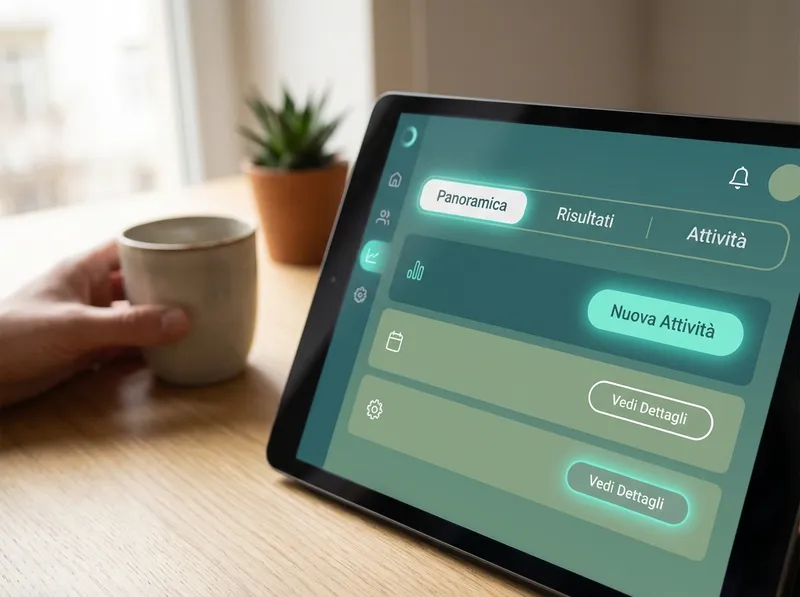
- Open the Tutor Dashboard and look at the overview: identify 1 “strong” area and 1 “weak” area.
- Go into the details of the weak area: look for recurring topics or the most frequent mistakes.
- Set a micro-goal (30–45 minutes): targeted review + 10 check questions or a mini-test.
- Go back to the dashboard and see whether the trend improves: if yes, consolidate; if not, change approach (more theory, more exercises, or both).
This is the point: the Tutor Dashboard isn’t for “looking at numbers,” but for turning numbers into a sequence of actions. The video takes you exactly there, without long detours.
Clearer student reports and more reliable exam review: what’s improved

When you study, what you really need is to trust the feedback: if a report tells you you’ve improved, it has to be true; if it flags a gap, it has to be specific and verifiable. We introduced fixes that make bothstudent reportsandexam reviewmore robust, with the goal of reducing ambiguity and increasing consistency between results and explanations.
Concretely, what changes for you? Here are some practical examples of improvements in reading the results:
- More consistent indicators: the same type of performance is represented the same way across the dashboard, reports, and details, so you don’t have to “translate” the data every time.
- More readable details: in exam review, the crucial parts (what was required, what you answered, what was missing) are easier to compare.
- Fewer false signals: if a topic looks “weak,” it’s because it emerges from a pattern of answers or mistakes, not from an unstable reading of the data.
Imagine this scenario: before, you saw a good overall score, but in exam review there were notes that didn’t quite match (it looked like you were getting more wrong than the total suggested). Now reports and review speak the same language: the total, the sub-topics, and the comments support each other. Result: you understand faster what to review and why.
These improvements matter most when you study in short cycles (test → feedback → review → new test). If the feedback is reliable, each cycle helps you grow; if it’s confusing, it wastes your time.
How StudierAI can help you get the most out of the Tutor Dashboard

The Tutor Dashboard tells youwhat’s happening(results, trends, strengths/weaknesses).StudierAIhelps you turn that feedback into astudy plansustainable, with clear priorities and continuity. The idea is simple: combine yourstudent reportsand theexam reviewinto a weekly routine that doesn’t make you start from scratch every time.
A practical (and realistic) method is this: after a test or a study session, open the dashboard, pick 2 priority topics, and ask StudierAI to turn them into activities: theory review, targeted exercises, and a final check. If you don’t have an account yet, you canstart for freeand build your routine without complications.
To maintain continuity, aim for three fixed elements every week:priorities(what unlocks the most points),review(what to consolidate) andgoals(what to measure). The dashboard helps you choose, StudierAI helps you execute. If you want to understand which option is right for you, take a look atplans and pricing.
If your goal is to study in a more guided way, start with the video in the welcome flow, take a full tour of the Tutor Dashboard, and then turn the results into a weekly plan. Even small adjustments, repeated consistently, make the difference between “I studied a lot” and “I studied better.” Whenever you want, you can alsosign up for freeand start using the dashboard and feedback as a compass, not just a simple summary.
