

In recent years, many universities have introduced online university exams with increasingly sophisticated monitoring systems. For a parent, it isn’t easy to navigate webcams, microphones, strict rules, and software that “assesses” behavior. Yet understanding how AI proctoring in universities works is the first step to truly protecting your children: in terms of university exam privacy, but also psychologically, because online exam anxiety in students can lead to mistakes, mental blocks, and even unfair reports.
In this article you’ll find a practical guide: what to expect from remote exam monitoring, which questions to ask the university, how to reduce the risk of “false positives,” and how to prepare technically and mentally. We close with a constructive approach: how to prepare for exams with artificial intelligence ethically, to increase safety and peace of mind.
What proctoring and AI are in university exams (and why they’re increasing)
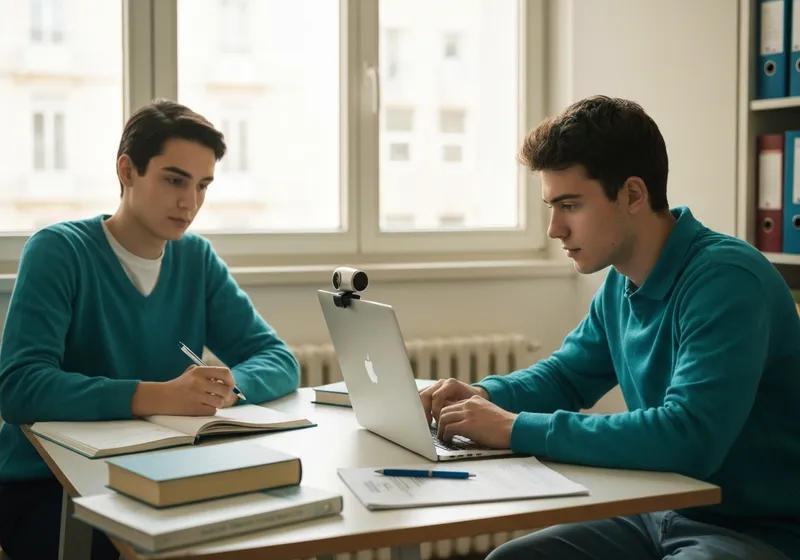
“Proctoring” refers to the set of tools and procedures used to supervise a remote exam. In practice, the university tries to recreate online the conditions of a classroom: verified identity, a controlled environment, clear rules. When AI comes into play, some checks are no longer only “human” (a proctor watching), but also automatic: the system flags behaviors considered anomalous.
Typically, remote exam monitoring can include:**webcam**(framing of the face and workstation),**microphone**(noises and voices),**screen monitoring**(checking open windows and activity on the computer), and sometimes behavioral analysis (gaze that “leaves” the screen, repeated movements, presence of other people). Some systems also ask for a room scan or screen sharing.
Why are they increasing? For practical reasons (students living away from home, more flexible sessions, managing large numbers), to ensure “fairness” between those taking the exam in person and those remotely, and to reduce the risk of cheating. The point, however, is that the more automatic the system is, the more important it becomes to know its limits and safeguards: an algorithm can be wrong, and stress can amplify those signals the software misinterprets.
Privacy, data, and student rights: what a family can do (and ask)
When it comes to university exam privacy, the right question isn’t only “do they record?”, but also: which data, for how long, for what purposes, and who can access it. In general, identifying data (ID document, photo), audio-video data (recording or streaming), technical data (IP, access logs), and in some cases derived information (flags of “anomalous” behavior) may be processed.
As parents, you can help your child make simple but decisive requests before the exam (preferably in writing). Here’s what to ask the university or the service provider:
- A complete and up-to-date privacy notice: which categories of data are collected and for what purposes.
- The legal basis for processing and whether the exam can be taken in alternative ways (in person or with “light” proctoring) in justified cases.
- start for free
- who we are
- How reporting works: what is considered “anomalous,” who decides, and whether there is human review before any measures are taken.
If doubts arise (for example, invasive requests that aren’t explained, recordings without clarity, or disputes based only on automatic “scores”), it’s useful to: keep emails and instructions, take screenshots of the rules, note date/time and technical issues, and formally request clarification. One principle to remember:**transparency is not a favor, it’s a safeguard**.
Online exam anxiety: how to recognize it and reduce the risk of unfair penalties
Online exam anxiety in students often doesn’t stem only from the exam itself, but from the feeling of being “under observation” and the fear that a normal gesture will be interpreted as misconduct. Some students change their behavior: they stiffen up, avoid moving their eyes, speak less, breathe poorly. Paradoxically, these very signals can increase the anomalies detected (sudden movements, repeated looks off-camera, agitation).
As parents, you can help with concrete actions, without minimizing it. Three levers work well: environment, routine, and communication.
1)**Prepare the environment**: a tidy room, stable lighting, no “ambiguous” objects on the desk. Knowing the environment is “dispute-proof” reduces the fear of mistakes.
2)**Pre-exam routine**: 20–30 minutes before, computer already on, logged in, water ready, slow breathing (even just 4–6 deep cycles). Avoid last-minute rushing: it increases trembling and inattention.
3)**Communicate proactively**: if the student has a condition that may have an impact (tics, ADHD, needing to drink often, vision problems that lead them to look away), it’s better to report it beforehand to the registrar’s office or the instructor, asking for guidance. If something happens during the exam (external noise, connection drop), it should be stated immediately out loud and, if possible, followed up by email.
Practical preparation: a technical and behavioral checklist to feel calm on exam day
Good preparation reduces both unexpected issues and stress. Here’s an essential checklist (ideally done 48 hours before and then reviewed on the day itself).
- Connection: test speed and stability; if possible use an Ethernet cable; have a hotspot ready as plan B.
- Device: updates done in advance; battery charged; power supply plugged in; notifications disabled.
- Webcam and audio: test a recording; check there’s no echo or noise (fans, street).
- Lighting and framing: face clearly visible, soft front lighting; avoid backlighting; stable camera.
- Workstation: clear desk; only permitted materials; no second monitor; phone out of reach.
- Room: door closed; notify family/roommates; no one enters; pets in another room.
- Documents: ID card ready; any student ID; exam instructions saved offline.
- Dress rehearsal: simulate login and software start in the same room and with the same lighting as the exam.
Finally, agree on a written “plan B”: what to do if the internet drops, if the software freezes, if the webcam doesn’t work. Already knowing who to contact and within what timeframe reduces panic and makes it easier to demonstrate good faith in case of disputes.
How StudierAI can help: quiz/oral simulations, time management, and “anti-panic” training
A concrete way to reduce anxiety related to proctoring is to increase familiarity with the exam experience: timing, questions, pressure. That’s where training comes in. WithStudierAIyou can help your child build realistic simulations: timed quizzes, targeted review of mistakes, and oral practice with rapid-fire questions. It’s a useful approach for those who want to understand how to prepare for exams with artificial intelligence without shortcuts: AI becomes a tutor, not a way to cheat.
Practical “anti-panic” use cases:
- Timed simulations: they help you get used to managing time without constantly looking elsewhere or getting agitated.
- “Surprise” oral questions: they train you to answer calmly even when your mind goes blank.
- Review of mistakes: it reduces insecurity and therefore nervous behaviors that can be misunderstood.
If you want to try it, you canstart for freeand see whether it fits your child’s study method. To learn more about the approach and the project’s principles, you can also find the pagewho we are.
Protecting your children in online exams doesn’t mean only “monitoring the monitoring”: it also means putting them in a position to do their best, with tools, information, and routines that reduce stress and misunderstandings. Technology can be invasive if it’s endured, but it can become manageable when the family is informed and the student arrives prepared—technically and mentally.
