

Schools are undergoing a profound transformation: digital teaching is no longer an “extra,” but a set of practices and tools that can make instruction clearer, more inclusive, and measurable. For teachers, however, innovation works only when it is sustainable: less fragmentation, more coherence, more time for the educational relationship. In this article you’ll find an overview of innovative digital tools for modern teaching, with practical selection criteria, workflows, and ideas for integrating educational technology without increasing workload.
Why digital teaching is changing schools (and what teachers really need)

The push toward digital teaching stems from concrete needs: organizing materials and assignments in an orderly way, communicating quickly, providing timely feedback, tracking progress, and differentiating activities. At the same time, educational technology can reduce some everyday friction (copies, make-up work, scattered submissions) and open up new learning spaces (collaboration, multimedia, simulations).
The critical point is to avoid tools becoming “one more thing to manage.” The most common risks are: platform overload, inconsistency across classes, dependence on opaque apps, privacy and accessibility issues. For this reason, when evaluating tools for teachers, it’s worth starting from simple but solid criteria:
- Instructional impact: does it really improve understanding, practice, or assessment?
- Sustainability: does it reduce steps and duplication? Is it easy to maintain over time?
- Accessibility and inclusion: does it work with screen readers, captions, readable fonts? Does it support SEN/SLD?
- Data and privacy: what data does it collect? Who manages it? Is it compliant with the school’s policies?
A good approach is to build a “minimum ecosystem”: a few integrated tools, clear roles (where you submit, where you study, where you communicate), and repeatable routines. The goal is not to use more technology, but to use educational technology better, with coherent and measurable choices.
Platforms and learning environments: LMSs, virtual classrooms, and assignment management
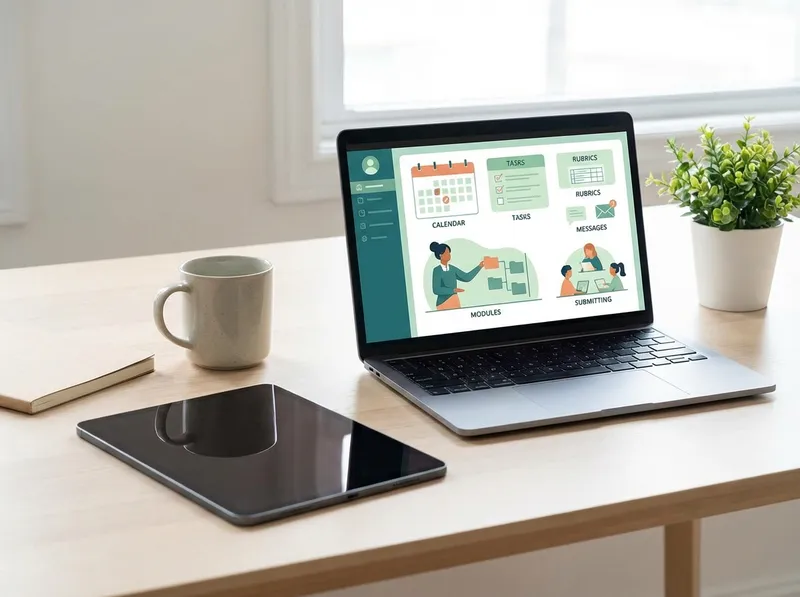
A well-set-up LMS (Learning Management System) or virtual classroom is the operational heart of digital teaching: it centralizes materials, submissions, assessments, and communications. The main advantage is traceability: every student knows where to find resources and what to submit, and the teacher reduces dispersion across emails, chats, and scattered documents.
To make the environment truly useful, it’s worth designing a standard workflow that can be replicated in every learning unit. A practical example (adaptable to any subject):
- Module/topic: objectives, prerequisites, and estimated time (transparency for the class).
- Materials: one “core” resource (text or slides) + one “reinforcement” + one “extension.”
- Activities: a clear task with assessment criteria (rubric or checklist) and a worked example.
- Feedback: brief, targeted comments + one improvement note (feedforward) for the next step.
Best practices that make the difference: use naming conventions (e.g., “2B_History_UDA3”), set realistic deadlines, enable notifications only where needed, and keep an identical structure across modules. Consistency is a teaching tool: it reduces organizational anxiety and leaves room for learning.
Real-time assessment and feedback: quizzes, digital rubrics, and data analysis

Digital assessment is truly “innovative” when it supports teaching, not when it complicates it. Quick quizzes, exit tickets, and polls can become formative assessment tools: a few minutes to understand what has been learned and what needs revisiting. The value lies not only in the score, but in immediate feedback and the ability to adjust course before the summative test.
To keep workload under control, it’s worth focusing on three levers:automatewhere it makes sense (grading closed items),standardizecriteria (reusable digital rubrics), andread dataonly to make instructional decisions, not to produce endless reports.
An effective flow can be: initial mini-quiz (diagnostic), guided activity, final mini-quiz (consolidation). Aggregated results help create flexible groups: those who need targeted remediation, those who can do enrichment exercises, those who can support peers. In this way, educational technology becomes a useful lens, not an end in itself.
Digital rubrics, finally, are one of the most underrated tools for teachers: they make expectations explicit, speed up grading, and improve self-assessment. A short rubric (3–5 criteria) with clear descriptors is often worth more than a long comment that is hard to reuse.
Content creation and inclusion: video, interactivity, accessibility, and UDL

Creating digital content doesn’t mean producing “perfect lessons,” but offering multiple ways to access the same concepts. Micro-videos, streamlined presentations, maps, interactive worksheets, and simulations can support attention and understanding, especially if designed with the principles of Universal Design for Learning (UDL): multiple means of representation, action/expression, and engagement.
For inclusion, some “high-impact, low-effort” measures are immediate:captionsin videos, readable fonts, adequate contrast, well-structured files (headings, lists), and tasks with examples. In the presence of SEN/SLD, digital teaching works when it offers choice: listening to a text, reading it, summarizing it with a map, responding with audio or with text. It’s not “simplifying”: it’s enabling everyone to demonstrate competencies with appropriate tools.
An operational tip: build a small library of reusable templates (slides, worksheets, rubrics, study grids). Quality grows over time, while effort decreases. This is where digital teaching becomes truly sustainable for teachers.
StudierAI in the classroom: instructional design, personalized materials, and study support
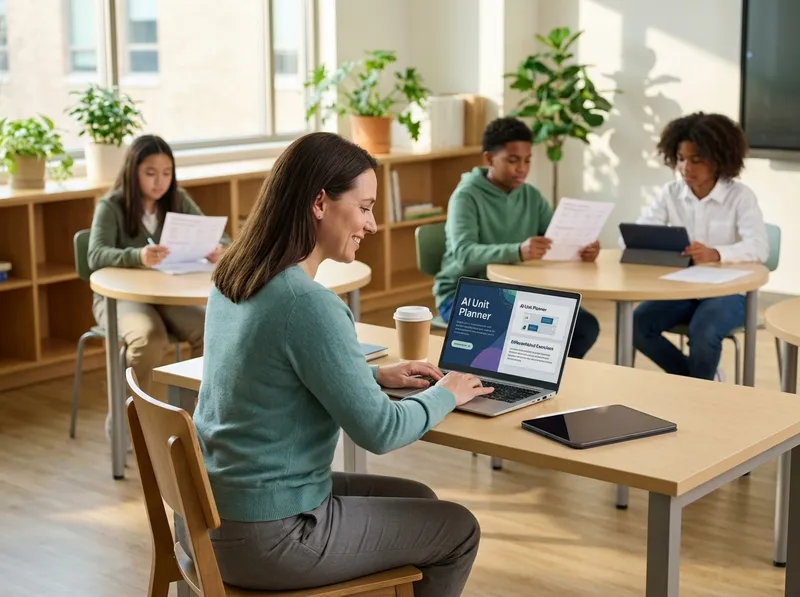
In an ecosystem of tools for teachers, AI can become a quality accelerator if used methodically and responsibly.StudierAIcan support instructional design and guided study, helping transform objectives and content into ready-to-use materials, with attention to clarity and differentiation. The idea is not to delegate teaching, but to reduce preparation time and increase the coherence of activities.
Examples of classroom use (or for preparation):
- Design a unit: lesson sequence, prerequisites, activities, and assessment, aligned with objectives.
- Generate differentiated exercises: three difficulty levels on the same content, for remediation and enrichment.
- Summaries and review: outlines, guiding questions, flashcards, and alternative explanations for students with different needs.
To keep quality high, it helps to adopt two rules: (1) provide precise context (class, objectives, constraints, criteria) and (2) always verify the output, especially for subject content and references. Used this way, AI becomes part of educational technology in service of teachers’ professionalism.
If you want to try a fast workflow (from planning to creating exercises and materials), you canstart for freeand later evaluate theplans and pricingbased on the needs of your school or department. The most effective innovation, in fact, is the one that integrates into routines: a few well-chosen tools, and digital teaching centered on objectives, inclusion, and feedback.
