

Why digital teaching is changing schools (and what teachers need)

Schools are changing because contexts have changed: students used to multimedia content, the need for continuity between home and classroom, and growing attention to inclusion and personalization. In this scenario,digital teachingis not “teaching online,” but building more flexible learning experiences: accessible materials, trackable activities, timely feedback, collaboration, and documentation of the learning journey.
For teachers, however, innovating doesn’t mean adding tools at random. The concrete needs are very practical: saving time in preparation, reducing fragmentation across different apps, managing communications and submissions, monitoring progress and difficulties, and ensuringsustainability(technical, organizational, and pedagogical) in the medium term.
A useful criterion for choosingteacher toolsis to start from clear, verifiable learning objectives. Then evaluate: ease of use (for students and colleagues), accessibility (including on mobile), integration with the school ecosystem, data protection, the ability to export materials and reports, and the presence of features that reduce repetitive tasks (standard grading, collecting submissions, rubrics). The best technology is the one that “disappears” and leaves room for the educational relationship.
To make the choice more solid, a mini operational checklist can help:
- What problem does it solve (organization, assessment, inclusion, collaboration)?
- How much time does it take to set up and maintain throughout the year?
- Does it work even with a weak connection or heterogeneous devices?
- How does it support assessment and documentation of the learning journey?
Platforms and learning environments: LMSs, virtual classrooms, and content management
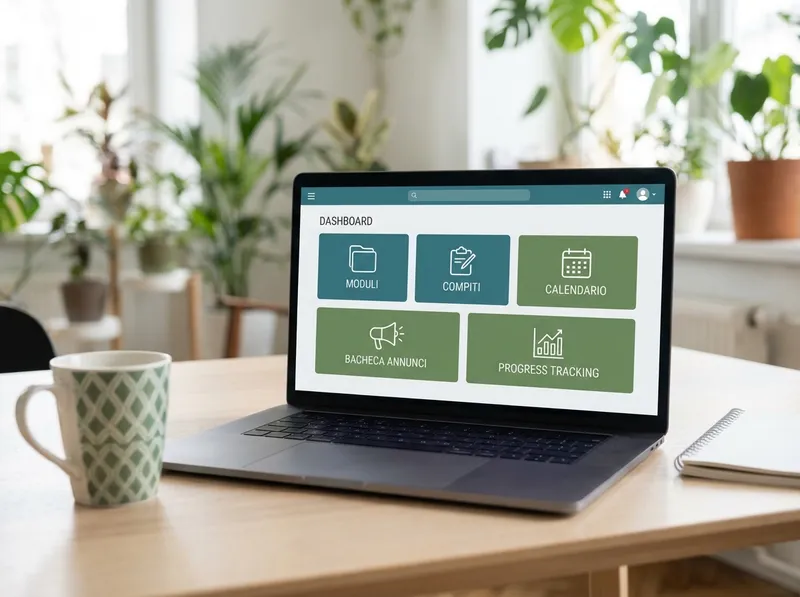
A well-set-up LMS (Learning Management System) or virtual classroom becomes the class “home”: a single place for materials, assignments, communications, and tracking. The main advantage is not only technological, but organizational: it reduces dispersion and makes it transparent what to do, when, and by what criteria.
Good operational practices to get started without overloading yourself:
- Structure by modules or units: one folder for each topic with objectives, resources, and activities.
- Communication routines: an announcements channel (teacher only) and one for questions, with clear netiquette rules.
- Standardized submissions: description, criteria, deadline, file format, and an example of the expected output.
- Smart archiving: consistent file names, versions, and a “catch-up” section for those who are absent.
For content management, a “minimal but stable” logic works well: a few integrated tools (documents, presentations, forms) and an always up-to-date calendar. If the digital environment is consistent, students reduce organizational anxiety and can focus on studying and skills.
Real-time assessment and feedback: quizzes, digital rubrics, and learning analytics

Digital assessment becomes truly innovative when it supports learning, not just measurement. Quick quizzes, exit tickets, and online tests can provide an immediate picture of understanding, enabling targeted interventions as early as the next lesson. The key point is to distinguish betweenformative assessment(to guide studying) andsummative(to certify).
Digital rubrics help make criteria transparent and speed up grading, especially for complex tasks (argumentative texts, projects, presentations). A practical tip: build rubrics with a few high-leverage indicators (for example: content, organization, language, originality) and levels described with observable examples. This way feedback is faster and less subjective.
Learning analytics (access data, submission times, results by question, progress over time) are useful if read with a teaching question in mind: “Who is struggling and with what?”. Avoid the “infinite dashboard” effect: choose 2–3 indicators and turn data into actions, for example catch-up groups, differentiated exercises, or a micro-lesson to clarify a critical concept.
Content creation and interactive lessons: video, dynamic presentations, and collaborative activities

educational technologyis at its best when it turns the student from a consumer into a participant. There’s no need to produce “perfect” videos: often 3–6 minute micro-videos with a specific objective, a worked example, and a final question are enough. Presentations become more effective if they alternate explanation and interaction (polls, questions, short exercises), instead of piling up text.
To increase engagement and inclusion, design collaborative activities with clear roles and visible outputs. Practical examples:
- Co-authoring: groups on a shared document with assigned sections (research, examples, summary, revision).
- Guided brainstorming: a digital board with categories (ideas, doubts, examples, connections) and voting by priority.
- Peer feedback: exchanging work with a short checklist and targeted comments on 2 strengths and 1 improvement.
Special attention should be paid to accessibility: subtitles in videos, readable fonts, downloadable materials, assignments with examples, and the option to choose among multiple response modes (text, audio, map). Small adjustments reduce barriers and improve quality for the whole class.
AI and automation for teaching: how StudierAI can support planning, differentiation, and studying

AI can lighten many repetitive tasks and increase the quality of personalization, provided it is used with pedagogical intentionality. In practice, AI is useful when it helps you: generate exercise variants, simplify texts, create check questions, build lesson outlines, and produce initial feedback to refine with your professional judgment.
In this context,StudierAIcan become an ally for planning and studying, supporting teachers and students in a way that is consistent with the class objectives. For example, you can use it to turn a topic into a sequence of activities (activation, explanation, guided practice, check), or to obtain differentiated versions of the same material: a simplified one, a standard one, and an extension one, while keeping the same key concepts.
Concrete use cases in class (and in the “behind the scenes” work):
- Rapid planning: a draft of a learning unit or lesson with objectives, prerequisites, timing, and activities.
- Differentiation: exercises with graduated difficulty and alternative explanations for different needs.
- Guided study: summaries, concept maps, multiple-choice or open-ended questions for review.
- Initial feedback: suggestions on clarity, completeness, and coherence, to validate and personalize.
An effective approach is to introduce AI with clear rules: what is allowed, how to cite the use of the tool, and how to verify the reliability of the answers. The goal is not to “delegate” teaching, but to increase quality time for explaining, listening, and supporting. If you want to experiment in a simple way, you canstart for freeand then evaluate the most suitable options by consultingplans and pricing.
The direction is clear: digital tools, data, and AI can make school more organized, inclusive, and skills-oriented. Start from a real need, choose a few well-integrated tools, and build routines. To explore AI support designed for studying and planning, you can alsosign up for freeand test sustainable workflows for you and for the class.
